The working record for EV charging installers and maintainers

Manage every charger, from installation to maintenance.

Caly-Bornes brings together the customer record, engineering, field work, OCPP monitoring and maintenance history. Chargers can connect directly to Caly-Bornes, or the service can complement an existing CSMS. Your team knows what to do, on which site and with which evidence.

  • From €29.90 excl. VAT per month, all features included
  • One workflow: qualify, install, monitor and maintain
  • Central workstation and Android field application
  • Data and decisions remain in the organisation’s record
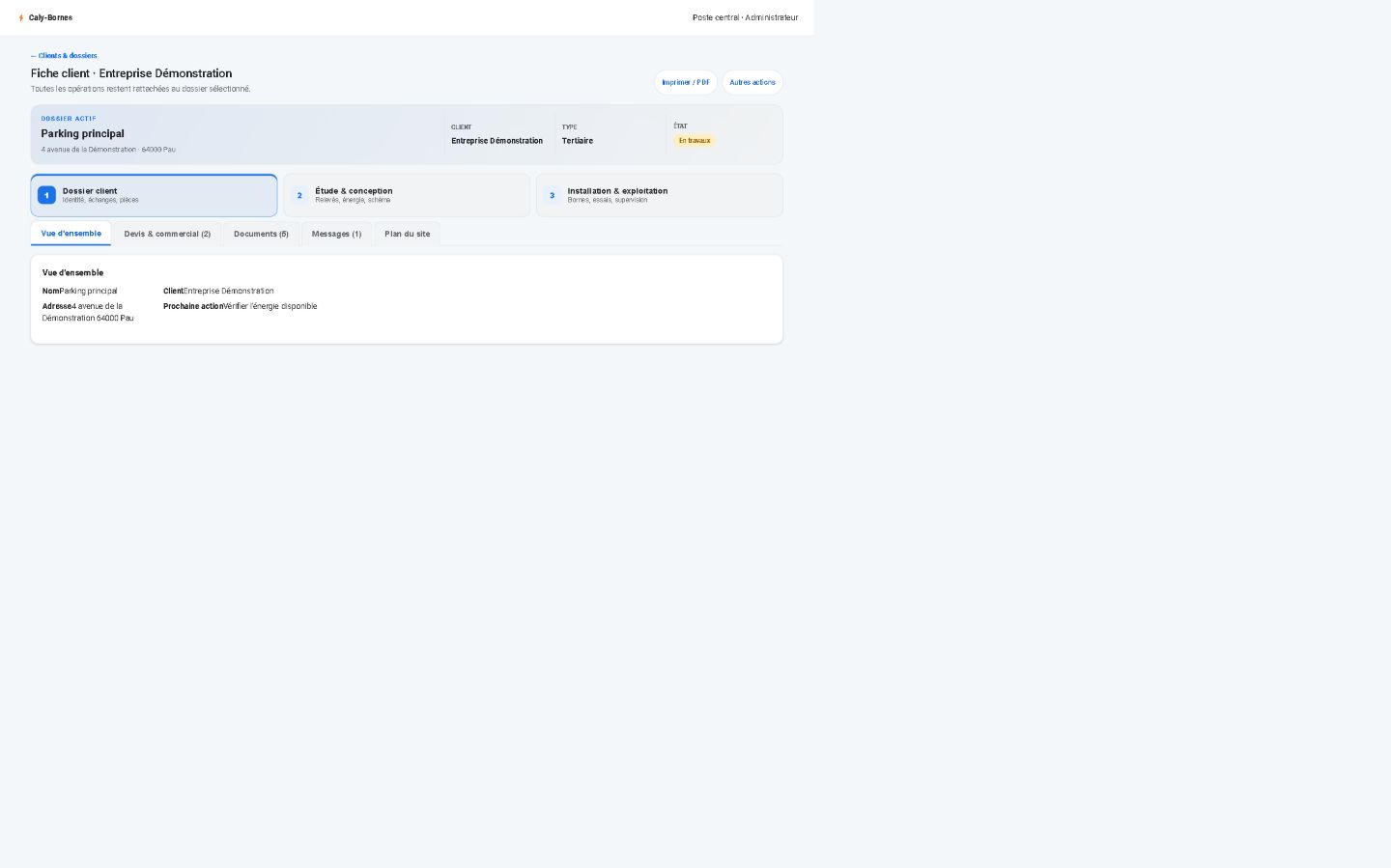
Real application · central workstation Demonstration customer record in the Caly-Bornes central application
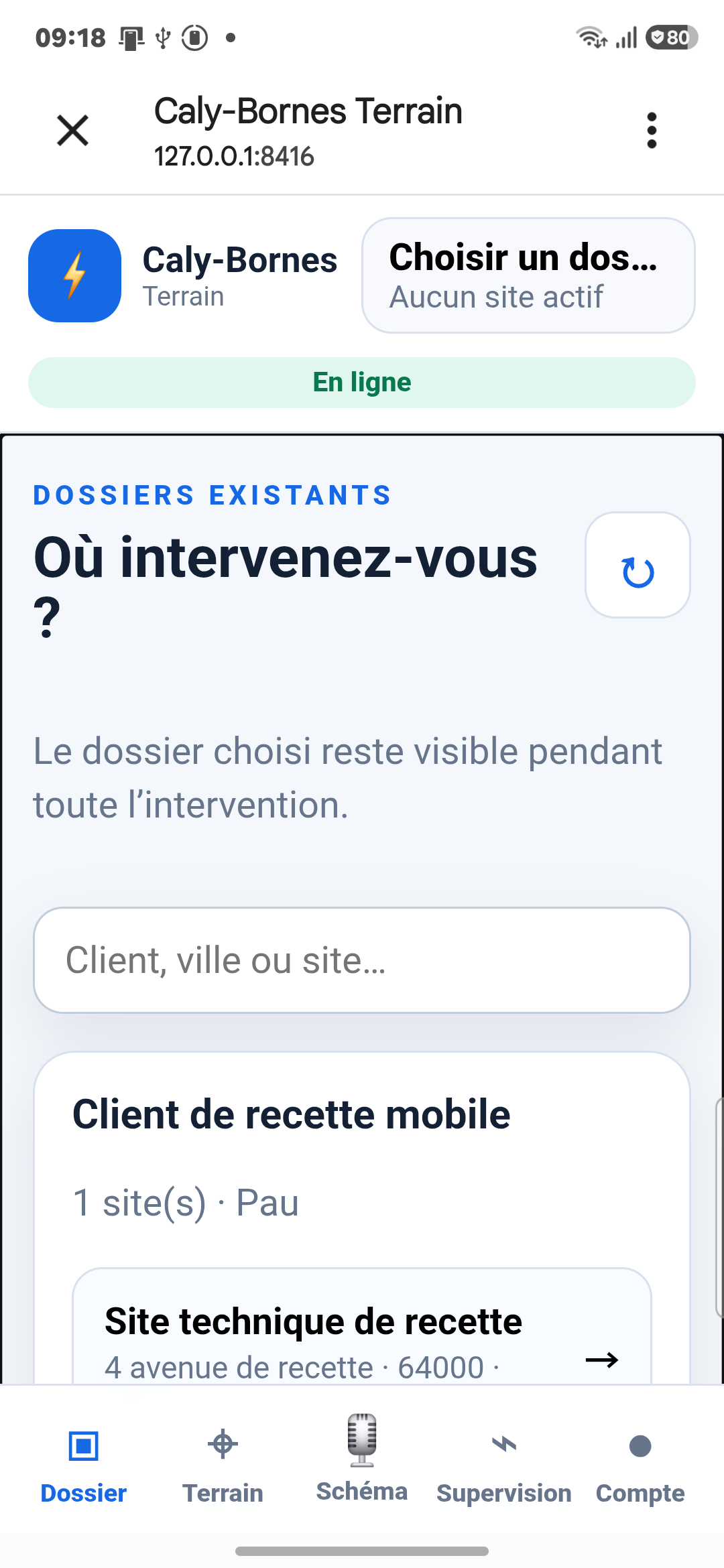
Real application · technician phone The Fleet workspace of Caly-Bornes on a phone: dashboard, live monitoring, alerts, chargers and access badges
Screenshots of the running application, on a demonstration record.

One product, two interfaces

Everyone sees only what they need.

The central workstation retains the organisation’s complete view. The phone remains deliberately focused on the technician’s work.

Central workstation

Prepare, assign and review

For administrators, project managers and technical managers.

  • Customers, sites and technical records
  • Proposals, documents and history
  • Electrical design module and assisted self-check
  • Intervention assignment and plan approval
  • Monitoring, maintenance and organisation permissions
Technician workflow

Receive, intervene and report

An installable Android web app without sales or administration functions.

  • Assignments and audible alerts while the app is open
  • Risk prevention plan before intervention approval
  • Existing customer or prospect record saved as a draft
  • Measurements, observations, attachments and report
  • Messaging and deferred offline synchronisation

Two OCPP monitoring modes

Connect the charger directly or keep your existing CSMS.

The CPO is the charge point operator. The CSMS is the technical server to which the charger connects. Caly-Bornes can handle this connection directly or join the workflow while another CSMS remains in place.

1. Direct Caly-Bornes monitoring

  • A secure WSS address for each charger is prepared in the authenticated workspace
  • The installer copies it into the charger’s “Central System / CSMS URL” field
  • The OCPP identity and key are unique, provisioned separately and never published here
  • Status, sessions, alerts, measurements and logs are linked to the correct record
  • Diagnostics and maintenance remain connected to the customer, site and equipment

2. With an existing CSMS or CPO

  • The monitoring server and operator already selected remain in place
  • Caly-Bornes organises the information needed for records and interventions
  • Technical follow-up, evidence and maintenance history remain centralised
  • Payment, roaming and operator contracts remain separate services
  • The organisation keeps its choice of equipment and partners

For installers: each charger’s complete URL and settings are shown only in the authenticated “Commission / troubleshoot” assistant. No OCPP identity or secret is exposed on this public page.

A broader customer base

A service subscription, not a catalogue of paid modules.

Caly-Bornes derives its value from service continuity: assess, deliver, monitor, maintain and document. The model can therefore support several professions, even when a CSMS is already in place.

EV charging installers

Structure the record, surveys, engineering study, proposal, commissioning and compliance evidence.

Maintenance providers

Prioritise alerts, prepare interventions, retain measurement history and improve the post-installation experience.

Multi-site operators

Connect each site, its assets, contracts and incidents without replacing the existing monitoring platform.

Integrators and engineering firms

Use a shared framework across design, field work, manufacturers, operators and monitoring partners.

The subscription covers the service as a whole and its quality over time; the amount follows the size of the fleet being managed. Each organisation remains free to choose its equipment and roaming services.

New intervention workflow

No intervention starts without a defined framework.

The workflow separates the request, prevention, approval, execution and closure. It is available upon activation according to the permissions granted.

  1. 01CreateThe central workstation prepares the assignment and assigns an authorised technician.
  2. 02NotifyThe phone announces an assignment without displaying personal data before sign-in.
  3. 03PreventThe technician completes and submits the risk prevention plan.
  4. 04ApproveThe manager approves the plan; the server then opens the intervention.
  5. 05InterveneMeasurements and observations remain available offline.
  6. 06CloseThe report returns to the record for central approval.
Controlled end-to-end statusDraft → sent → accepted → plan in progress → plan submitted → approved → in progress → completed → closed.

Technician application

The phone becomes a field data tool, not a miniature office.

The technician sees the useful site data, the plan to complete, messages and required readings. Proposal creation, permissions, monitoring of standards and manufacturer tables remain on the central workstation.

Worksite modeLarge fields, short steps and touch-friendly actions.
Offline modeLocal queue, network recovery and explicit conflict resolution.
Draft prospectA new customer can be recorded on site and later approved at the office.
MessagingMessages remain linked to the organisation and intervention.
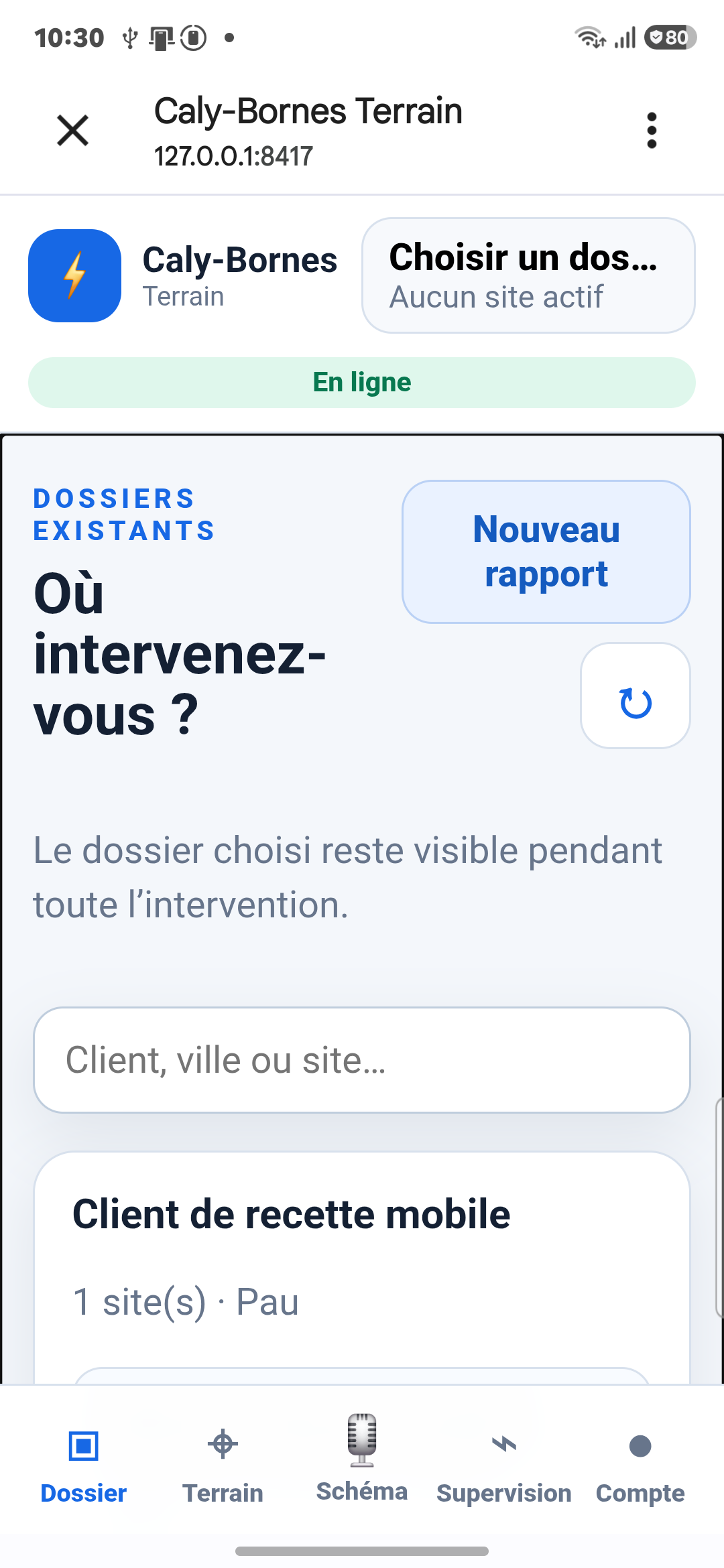
Caly-Bornes TerrainAcceptance test on the Android application
Creating a new report in the Caly-Bornes Terrain Android application
Real phone view of the application: the four chargers of the demonstration site.

Central workstation

The record remains the starting point.

Standalone tools remain available, but work performed for a customer must return to their record, site and history.

01

Customers & sites

Assess the requirement, contacts, equipment and site constraints.

02

Available power

Attach the analysis to the relevant record, with explicit and verifiable assumptions.

03

Electrical design module

Build the diagram and review the balance, selectivity, calculation note, simulation and bill of materials.

04

Assisted self-check

Organise measurements and evidence without replacing professional approval.

05

Documents

Prepare proposal, delivery and maintenance documents in the same record.

06

Administration

Manage the organisation’s users, roles and access from the central interface.

Governed standards adaptation, never automatic compliance.

Caly-Bornes detects, archives and prepares the possible impact of changes; an authorised professional then approves the source, scope, tests and publication. Calculations must still be checked, and selectivity tables must match the exact references selected.

Monitoring and maintenance

Turn signals into customer service.

OCPP sessions, alerts and logs remain linked to customers, sites, equipment and interventions. An offline charger is never shown as available: its last declared status, observed communication and active alert remain separate.

  • Operational status and communication clearly separated
  • Alerts linked to the customer, site and intervention
  • Log diagnostics and controlled remote actions
  • Maintenance history to anticipate recurring issues
Metrics that support prevention

Power, energy, sessions, outages, faults and communication quality can be compared with past interventions to detect drift and prioritise a check.

These indicators assist the professional. They never produce a diagnosis, compliance decision or safety decision on their own.

Sensitive actions: they are identified, authorised and logged before execution.

Monitored estate● Demonstration

Loading demonstration map…

Real map base © OpenStreetMap contributors — all chargers, statuses, names and values are fictional.

Organisation activation

Install the technician application at the right time.

Caly-Bornes Terrain installs from the phone browser once the account is created and permissions are granted. No app store, no manual installation.

  1. 1Subscription approvedThe organisation and its administrator are created.
  2. 2Permissions grantedEach technician receives only their authorised work scope.
  3. 3Secure link or QR codeTime-limited access opens the installation on the phone.
  4. 4Installation from Chrome“Add to Home screen” installs the application on Android.
  5. 5First synchronisationAuthorised assignments are loaded and offline mode becomes available.
Application open

New assignments can trigger an audible alert through periodic polling.

Network loss

Data entry remains local and then synchronises with version control when the connection returns.

Try before you subscribe

A public demonstrator, on a fictitious charging estate.

The demonstrator is the real application, open to everyone on a pre-filled demonstration estate. Create your account in a minute, with your own password, and step in.

What you will find

  • A living estate: three customers, three sites, eight charging stations, including virtual stations connected over OCPP that really charge and report their sessions, readings and alerts.
  • The whole trade: customer records, field forms, the single-line diagram, available-power studies, contracts, offer brochures, measurement reports and regulatory help sheets.
  • Two roles: the technician role opens on sign-up; the administrator role is requested on sign-up and activated once the publisher has validated it.
  • No real data: the space is shared between visitors and may be reset at any time. It is there to form an opinion, not to work.

Discover Caly-Bornes

Tell us about your organisation and real use cases.

The access request helps us understand your activity, users, charging estate, current monitoring tools and required functions before activation.

Pricing

One price per fleet size. All features included.

The subscription follows the number of charging stations managed and includes one central-workstation licence and one technician Android licence. No feature module is billed separately: records, engineering studies, electrical design, self-checks, monitoring, maintenance and administration are all included from activation, according to the permissions granted.

Up to 30 chargers€29.90excl. VAT per month
Up to 60 chargers€55.90excl. VAT per month
Up to 240 chargers€186.90excl. VAT per month
Up to 500 chargers€357.90excl. VAT per month
More than 500 chargersOn requestcontact us
Commissioning of the first chargerIncluded

Telephone assistance during commissioning, included in the subscription.

Breakdown assistance€95 excl. VAT / hour

Professional support on a faulty charger, billed by the hour.

Additional licences€19.90 central · €5 Android

Per licence per month, excluding VAT. The subscription already includes 1 central-workstation licence and 1 technician Android licence.

White label€3,500 excl. VAT

Your organisation's identity applied to the service, plus the subscription matching the fleet managed.

Understanding the billing unit
Charging station
The physical equipment registered and managed in Caly-Bornes.
Charging point
A position where one vehicle can charge at a time.
Connector
The socket or tethered cable available on a charging point.

The table above counts physical charging stations managed. If one device has several charging points or connectors, the quotation states how they are counted before activation; no additional unit is added without agreement.

Prices exclude VAT; business customers only. The subscription tier is set by the number of charging stations managed; the number of sites does not change it. One central-workstation licence and one technician Android licence are included; beyond that, each central-workstation licence is €19.90 excl. VAT per month and each technician Android licence €5 excl. VAT per month. Each organisation remains free to choose its equipment and roaming services.

CallRequest access